
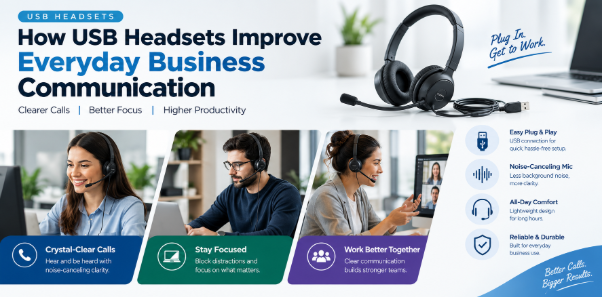
Clear communication is essential for businesses that rely on customer support, online meetings, sales calls, and teamwork. Employees need dependable audio equipment that allows them to speak comfortably and understand conversations without unnecessary distractions. A professional wired headset can make daily communication more convenient while helping workers stay focused on their responsibilities.
The Yenalik UH34/UH34 Lite USB Headsets are designed for office professionals, call center employees, and people who spend significant time on voice calls. Their lightweight construction, USB connectivity, noise-canceling microphone, and convenient call controls make them practical options for many workplace environments.
The Importance of Clear Audio in the Workplace
Poor audio quality can create misunderstandings and interrupt the flow of business conversations. When employees repeatedly ask callers to repeat information, meetings can take longer and customer interactions may become less efficient.
The Yealink UH34 series features 28 mm speakers designed to deliver clear sound for professional calls and other audio activities. Its microphone and passive noise-cancellation design help reduce unwanted background distractions, supporting more focused conversations.
Clear audio can be especially useful for customer service teams that handle multiple calls each day. Sales professionals can also benefit from reliable sound when explaining products, discussing orders, or communicating with clients.
Lightweight Design for Daily Comfort
Comfort matters when employees wear headsets for extended periods. Heavy equipment or poorly fitted ear cushions can become distracting during long meetings and busy working hours.
The Yealink UH34 and UH34 Lite feature lightweight, on-ear designs intended for everyday professional use. The mono versions allow users to keep one ear free for nearby conversations, while the dual versions provide audio through both ears.
The two models also differ in their ear cushions. The UH34 uses leather ear cushions, while the UH34 Lite uses foam ear cushions. This gives businesses and individual users options based on their comfort preferences and workplace needs.
Choosing a suitable wearing style can help employees remain comfortable during extended calls and virtual meetings.
Simple USB Connectivity
Easy setup is important in workplaces where employees need to connect their equipment quickly. Complicated installation procedures can interrupt daily tasks and create unnecessary technical support requests.
The UH34 and UH34 Lite use USB connectivity for compatible computers and supported communication devices. Their plug-and-play design helps simplify setup, allowing users to connect the headset and begin using it with compatible software.
A wired connection also eliminates the need to recharge a headset battery. Employees can continue using the device while it remains connected, making it a practical option for workstations where reliable access to audio equipment is important.
Businesses should check their computer ports, communication applications, and device requirements before choosing a particular headset configuration.
Noise Reduction for Focused Conversations
Offices and call centers can become noisy when several employees work in the same area. Nearby conversations, keyboard sounds, and other environmental distractions may affect communication.
The Yealink UH34 series incorporates a noise-canceling microphone and passive noise cancellation to help reduce unwanted sound during calls. These features can support clearer conversations in shared workspaces, although actual performance depends on the surrounding environment.
For customer service representatives, a clearer microphone signal can help callers understand information more easily. Employees working from home may also appreciate equipment designed to support focused communication during online meetings.
A headset with suitable noise-reduction features can therefore be a useful part of a professional workstation.
Convenient Call Management
Managing calls efficiently can help employees maintain their workflow throughout the day. The UH34 and UH34 Lite include an inline controller with LED indicators that provides access to important calling functions.
Depending on the connected device and communication software, users can access functions such as answering and ending calls, adjusting volume, and muting or unmuting the microphone. The controller places frequently used functions within easy reach, reducing the need to search through software menus.
Visual indicators can also help users recognize the headset’s status. These features are particularly useful for employees who handle frequent customer calls or participate in multiple online meetings.
Before purchasing headsets for a team, businesses should verify which call controls are supported by their selected software and device configuration.
Suitable for Offices and Call Centers
Different workplaces have different communication requirements. A call center may prioritize comfort and clear microphone performance, while a general office employee may need a headset for occasional meetings and regular collaboration.
The Yealink UH34 series is designed for daily office use and call center environments. Its lightweight design and wired connectivity make it suitable for employees who primarily work at desks and need dependable audio throughout the day.
Businesses can select mono headsets for employees who need to hear colleagues nearby or dual headsets for workers who prefer listening through both ears. This flexibility helps organizations choose equipment according to different roles and working conditions.
Choosing Between the Yealink UH34 and UH34 Lite
Although the UH34 and UH34 Lite share several core features, their differences may influence which model suits a particular user.
The UH34 features leather ear cushions, while the UH34 Lite uses foam ear cushions. Both models are available in mono and dual-ear configurations, allowing users to select their preferred wearing style.
Certain versions are also available in Microsoft Teams-certified and UC configurations. The right choice depends on the communication platform, connected devices, and calling features required by the user.
Businesses purchasing equipment in larger quantities should review the specifications and compatibility of the exact model before placing an order. This helps ensure that the selected headset matches the organization’s existing communication setup.
Improving Productivity Through Reliable Equipment
Reliable communication tools can help employees concentrate on their work instead of dealing with avoidable technical difficulties. When a headset is comfortable, easy to connect, and suitable for the required applications, workers can focus more attention on conversations and tasks.
The Yealink UH34 series combines a lightweight design, clear audio, a noise-canceling microphone, and an inline controller in a wired headset format. These features can support daily communication for customer service teams, remote workers, and office professionals.
However, a headset is only one part of an effective communication system. Compatible software, a stable computer setup, and appropriate workplace practices also contribute to productive calls and meetings.
Conclusion
Professional headsets play an important role in modern workplace communication. They help employees participate in calls, attend online meetings, and manage conversations more conveniently throughout the working day.
The Yealink UH34 and UH34 Lite USB headsets offer lightweight construction, 28 mm speakers, noise-reduction features, plug-and-play connectivity, and practical call controls. Their mono and dual configurations also provide flexibility for different working preferences.
By considering comfort, compatibility, audio requirements, and daily usage, businesses can choose communication equipment that supports more organized and efficient workplace interactions.

